

LinkedIn Easy Apply Explained: How It Works vs Recruiter Reality
LinkedIn Easy Apply is fast but produces predictable outcomes — what recruiters actually see, why response rates are low, and how to stand out.
Ployo Team
Ployo Editorial
TL;DR
- LinkedIn Easy Apply sends profile + resume in 1-2 clicks.
- LinkedIn application volume has grown 45%+ year-over-year (NYT 2025).
- Average corporate role gets 250+ applications; only 4-6 reach interview.
- Generic Easy Apply submissions consistently produce low response rates.
- Strategy: Easy Apply for volume; tailored direct applications for priority roles.
LinkedIn Easy Apply produces a satisfying click-and-done experience for candidates and an overwhelming application flood for recruiters. The gap between candidate expectation ("they'll read my resume!") and recruiter reality ("I have 300 applications to triage today") explains why one-click applications often disappear into silence. This guide walks through how Easy Apply actually works, what recruiters see on their end, when it's worth using vs skipping, and how to make it work for you when you do use it.
How LinkedIn Easy Apply Works for Candidates

The candidate-side workflow:
- Click "Easy Apply" on a job listing
- LinkedIn sends your profile + uploaded resume
- Answer 2-5 screening questions (work authorization, experience years, etc.)
- Submit; track in your "Applied jobs" list
What candidates often don't realise:
- Your profile data — headline, summary, skills, history — is what recruiters primarily see
- Resume can be replaced before submission
- Applications flow into the company's ATS or LinkedIn's candidate pool
- Withdrawal is possible if you want to reapply with updated materials
Easy Apply removes friction; it doesn't change how applications are evaluated.
What Recruiters Actually See
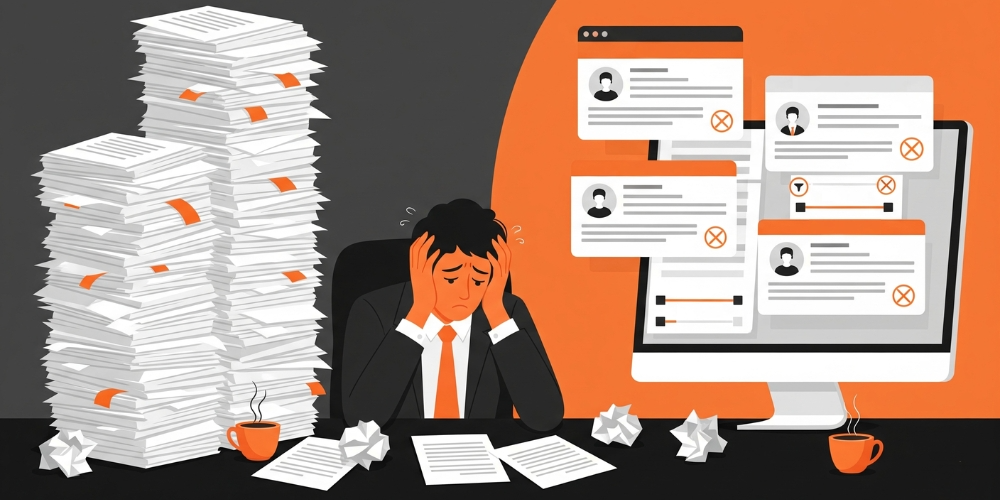
The recruiter side reveals why response rates are low.
Application volume is overwhelming
NYT 2025 reporting shows LinkedIn application volume grew 45%+ year-over-year, with many submitted through quick-apply tools. Recruiters routinely process hundreds of applications per role.
Profile-and-resume only
Recruiters see what your LinkedIn profile shows plus the resume you uploaded. If your profile is thin or your resume is generic, that's the entire signal.
ATS and keyword filters first
Most applications pass through ATS keyword screening before any human review. Resumes missing role-relevant keywords often never reach a recruiter's eyes.
Sorting by relevance
Updated profiles, endorsement counts, headline-role match, and skill alignment all affect ranking. Stale or generic profiles drop in priority.
Limited time per application
A recruiter handling 300 applications can spend 6-10 seconds per first-pass scan. Standout signal must exist or the application slides past.
Pros and Cons of LinkedIn Easy Apply
Pros
- Speed: One-click submission saves time vs portal applications
- Reach: Easier to apply to many roles quickly
- Discovery: Useful for passive job seekers exploring options
- Simplicity: Skip company-specific portal forms
Cons
- Competition density: So many applications that standing out is harder
- Less personalisation: Generic applications often get skipped
- Format limits: Can't always include cover letter or tailored responses
- Risk of being buried: Without strong keyword matching, your application sits at bottom of ranking
- Status uncertainty: "LinkedIn Easy Apply not working" sometimes reflects ranking, not actual technical failure
Why Recruiter Reality Doesn't Match Candidate Expectations
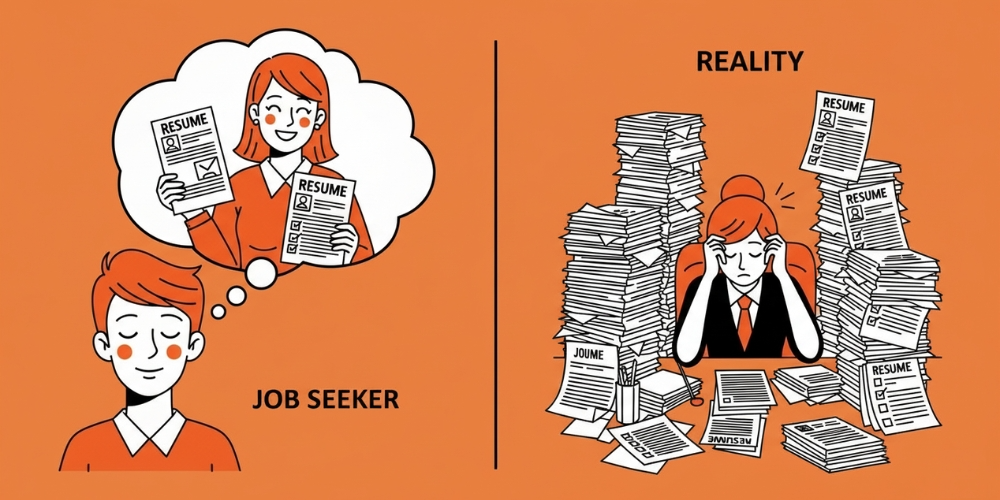
Four structural mismatches.
Volume overload
Zety HR statistics show average corporate roles receive 250+ applications; only 4-6 candidates reach interview stage. The math doesn't favour generic submissions.
Limited visibility
Without customisation, recruiters see generic profile data. Many candidates expect resumes to be read carefully; ATS filtering happens first.
Effort mismatch
Candidates invest 30 seconds in Easy Apply submission; recruiters spend hours shortlisting. The asymmetry produces frustration on both sides.
Outcome expectations
Candidates expect quick callbacks; recruiters often handle 10-20 roles simultaneously and rely heavily on ATS filtering to manage volume.
How to Use Easy Apply Effectively
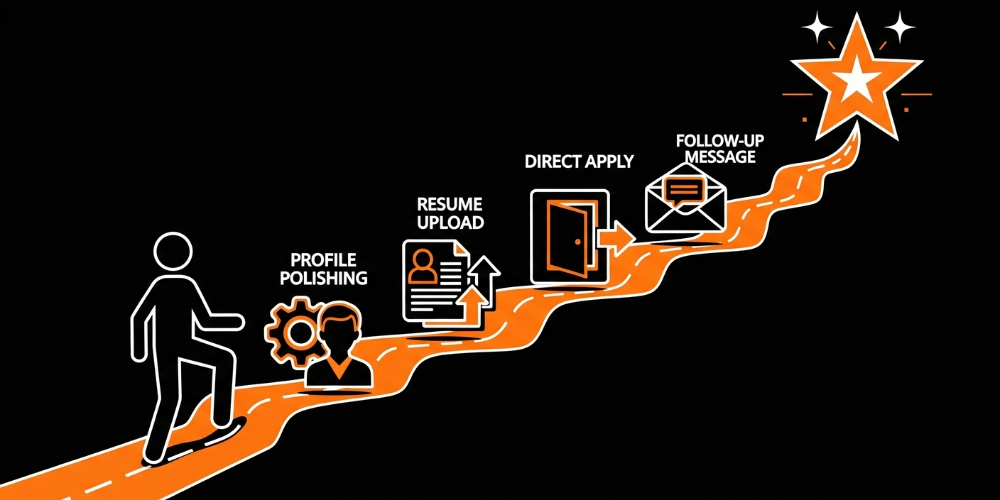
Six practices that consistently improve outcomes.
1. Polish your LinkedIn profile first
Your profile is the application. Strong headline, relevant skills, complete work history, role-aligned keywords. Recruiters search by these signals.
2. Keep resume updated
Upload a current resume optimised for the role types you're targeting. Don't rely on a 2-year-old generic version.
3. Customise for priority roles
For roles that matter most, skip Easy Apply and apply directly through the company's careers page. Direct applications allow cover letters and tailored content that Easy Apply doesn't.
4. Track your applications
Use LinkedIn's "Applied jobs" tracking to follow up strategically. Lost applications can be reapplied with better materials.
5. Follow up with the recruiter
A brief, polite LinkedIn message to the recruiter referencing the specific role and one specific value-add you bring can break through the volume problem.
6. Know when to skip Easy Apply entirely
Senior roles, niche specialist roles, or roles where personalisation matters significantly benefit from direct applications instead. Easy Apply is a volume tool; not all roles are volume.
When to Use Easy Apply vs Direct Application
Easy Apply works well when:
- Applying to many similar roles across companies
- Volume hiring (large companies with high application throughput)
- Your LinkedIn profile is strong and role-aligned
- You want to gauge market response across many opportunities
Direct application works better when:
- The role is genuinely important to you
- You need a cover letter to explain career switches or unique fit
- Senior or specialist roles where personalisation matters
- Company has specific portal that captures information Easy Apply doesn't
The Bottom Line
LinkedIn Easy Apply is fast but produces predictable outcomes — high volume, low response rate per application. Used strategically, it covers the "spray and learn" portion of job searching efficiently. Used as the only application channel, it produces frustration and silence. The candidates who succeed combine Easy Apply for breadth with tailored direct applications for the roles that matter most. The recruiters who actually call back are responding to applications that stood out either through profile substance or follow-up engagement. The technology removed friction; the success patterns still require strategic thinking about which roles deserve which level of effort.
FAQs
Do recruiters prefer Easy Apply or direct applications?
Recruiters don't object to Easy Apply, but direct applications usually provide more context (cover letters, tailored responses) that helps candidates stand out. For competitive or senior roles, direct beats Easy Apply on response rates.
Does Easy Apply hurt my chances?
Not inherently — but generic Easy Apply submissions from weak profiles consistently underperform. Strong LinkedIn profiles applying through Easy Apply produce reasonable response rates; weak profiles don't.
How do recruiters filter Easy Apply applications?
ATS keyword filtering happens first for most roles. Applications missing required keywords or skills often never reach human reviewers. Profile completeness and resume quality matter substantially.
Can I message recruiters after Easy Apply?
Yes — and it often helps. A brief, role-specific message highlighting your strongest fit-related value-add can break through volume and surface your application.
What's the highest-leverage improvement to Easy Apply success?
LinkedIn profile optimisation. Your profile is what recruiters see most. Strong headline, complete skills list, updated experience, and role-aligned keywords substantially improve Easy Apply response rates.
Keep reading


