

Workforce Management Automation: The Real Challenges and Fixes
Automating workforce management runs into predictable obstacles — data quality, change resistance, integration debt — and how to clear them.
Ployo Team
Ployo Editorial

TL;DR
- Workforce management automation delivers real efficiency gains but requires deliberate implementation discipline.
- Automation can drive ~37% error reduction and ~88% data accuracy improvement when done well.
- Only ~4% of organisations report fully automated workflows — most are mid-journey.
- Top failure modes: dirty data, change resistance, scope creep, and rigid systems that can't adapt.
- Sequence that works: clean data → pilot → align with strategy → govern flexibly → train continuously.
Workforce management automation looks deceptively simple from the outside — replace spreadsheets with software, and the chaos clears. In practice, every organisation runs into the same cluster of obstacles: dirty data, integration debt, change resistance, and rigid configurations that break the moment business reality shifts. This guide walks through what an automated workforce management system actually does, the common challenges that derail implementations, and the sequence of moves that consistently clears them.
What Automated Workforce Management Actually Is

An automated workforce management (WFM) system handles the operational mechanics of running a workforce — scheduling, shift planning, attendance, leave, resource allocation, and capacity forecasting — through software workflows rather than manual processes.
Mature systems go beyond time clocks. They connect to:
- Workforce planning tools that forecast demand vs capacity
- Skills databases that surface who can fill which role
- Compliance engines that enforce labor regulations
- Payroll systems for accurate pay-cycle data
- Onboarding workflows that provision new hires automatically
The strategic value is what the system enables: managers spend less time firefighting and more time managing the work. HR shifts from data entry to capability building. Frontline staff get consistent, predictable scheduling instead of last-minute scrambles.
Why Organisations Adopt Workforce Automation

Five drivers consistently appear in successful automation cases.
Efficiency and error reduction
PSG Global Consulting's 2025 automation research shows workflow automation correlates with around 37% error reduction and 88% data accuracy improvements. The financial value of avoiding even one major compliance error often justifies the entire automation project.
Broad market adoption
Duke Fuqua data shows around 60% of US companies have implemented some form of workforce automation as of 2024. The trend is no longer early-adopter — it's standard.
Stronger workforce planning
Dynamic forecasting matches staffing to demand in ways spreadsheets cannot. Modern systems model multiple scenarios and surface the resource implications before decisions are made.
Reduced employee stress
Zapier's automation research shows ~65% of knowledge workers report lower stress when their workflows are automated. The benefit isn't just operational — it's organisational health.
Strategic alignment
The CIPD definition of workforce planning — "the right number of people with the right skills employed in the right place at the right time" — becomes achievable rather than aspirational when automation handles the operational mechanics.
The Real Implementation Challenges
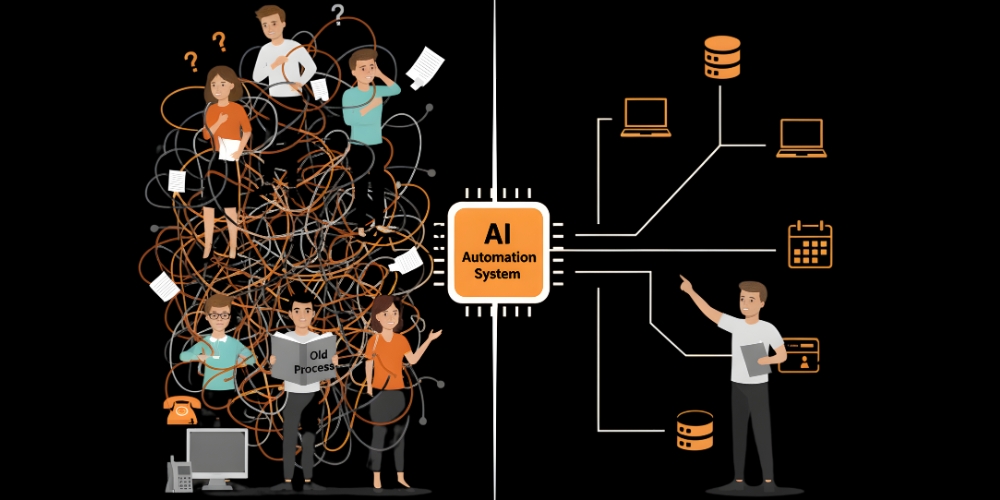
Six obstacles cause most failed implementations.
1. Data quality and integration debt
Most organisations come in with messy data — duplicated employee records, inconsistent skill tagging, missing attendance history, broken integrations between HR/payroll/scheduling. Automation amplifies whatever data you feed it. Dirty inputs produce confidently-wrong outputs at scale.
2. Cultural resistance
Managers used to running schedules their way may resist standardised workflows. Staff used to informal shift swaps may resist structured processes. Resistance compounds when introducing adjacent automation like automated CV screening that recruiters perceive as threatening to their role.
3. Unrealistic expectations
DocuClipper's workflow automation research shows only around 4% of businesses report fully automated workflows. Teams that expect instant transformation get frustrated when reality requires phased adoption.
4. Misalignment with strategic workforce planning
Teams sometimes automate the operational layer without connecting it to capability strategy. The result: efficient scheduling of a workforce that doesn't have the right skills mix for the company's direction.
5. ROI uncertainty
McKinsey's research on AI in the workplace shows 92% of companies plan to increase AI investment over three years, but only 1% describe themselves as "mature" in deployment. The maturity gap reflects how hard it is to translate technology investment into measured business outcomes.
6. Rigidity in changing conditions
A workforce automation system built for last year's shift patterns fails when remote work expands, regulations change, or labor markets shift. Rigid configurations turn from asset to liability quickly.
How to Overcome the Challenges
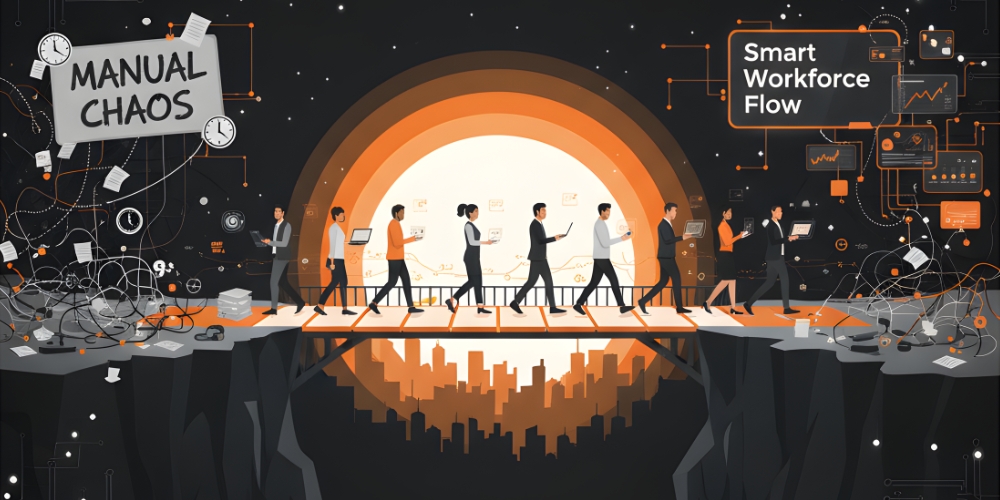
A practical implementation sequence that addresses the challenges in order.
1. Clean the data before automating
Audit employee records, fix duplicates, standardise skill tagging, validate attendance history, and align job catalogs across systems. Dirty data is the most common cause of implementation failure. Budget meaningful time here — it pays for itself many times over.
2. Pilot in one department or location
Pick a single team, prove the model, fix the issues, then expand. Big-bang rollouts compound dysfunction across the organisation simultaneously. Phased rollouts give you the data to refine before scaling.
3. Build cultural buy-in early
Run workshops that show how the new system makes the day-to-day better — predictable scheduling, accurate pay, fewer admin requests. Identify "automation champions" in each team who become local advocates. Celebrate early wins so the change feels like progress, not threat.
4. Align automation with workforce strategy
Connect the operational system to broader workforce planning. The automation should make capability decisions easier to execute, not lock you into the current org structure. Workforce planning informs what to automate; the automation informs what's possible.
5. Build governance and flexibility together
Define who can change automation rules, who maintains integrations, who audits data. At the same time, design the system to flex — new shift patterns, new compliance rules, new business models. Governance without flexibility creates brittle systems; flexibility without governance creates chaos.
6. Train continuously and measure outcomes
Initial training is necessary but not sufficient. Build ongoing learning into the team's calendar. Track outcomes monthly — scheduling time saved, attendance accuracy, compliance scores, employee satisfaction. Use the data to improve, not just to report.
Pattern Recognition: What Successful Implementations Share
Five characteristics consistently appear in WFM automations that deliver.
| Pattern | What it looks like |
|---|---|
| Data discipline | Cleaned source data before go-live; ongoing data quality monitoring |
| Phased rollout | Single-department pilot before scaling; lessons applied between phases |
| Executive sponsorship | Visible C-level support; not just an HR or IT project |
| Cross-functional team | HR, IT, operations, and finance all represented in design and rollout |
| Continuous improvement | Quarterly review cycles built into the operating rhythm |
Missing any one of these significantly raises the failure risk.
The Bottom Line
Workforce management automation delivers real, measurable gains in efficiency, error reduction, and employee experience — but only when implementation discipline matches the technology's capability. The teams that succeed treat the project as organisational change supported by technology, not technology rollout supported by organisational change. Clean the data first, pilot deliberately, build cultural buy-in, align with strategy, govern flexibly, and train continuously. The companies that get this right turn workforce automation into a sustained competitive advantage; the companies that skip the discipline end up with expensive software that nobody trusts.
FAQs
How long does workforce automation implementation typically take?
Small teams can go live in 4-8 weeks for foundational features. Mid-sized companies typically need 3-6 months for a full rollout. Enterprises usually phase implementation over 12-18 months across departments and regions.
What's the most common implementation failure mode?
Dirty data. Teams underestimate the cleanup needed before automation can produce reliable outputs. The second most common failure is launching without strong change management — the technology works but adoption stalls.
Does AI improve workforce management beyond standard automation?
Yes. AI adds demand forecasting, attendance pattern detection, optimal scheduling, and predictive attrition modelling that rule-based automation can't deliver. The combination of rule-based workflows plus AI signal-detection is where the modern frontier sits.
How do we choose between off-the-shelf and custom WFM software?
Most organisations should choose off-the-shelf platforms. Custom builds rarely justify the maintenance burden and miss the continuous improvement that vendor platforms get from serving many customers. Customise the configuration rather than the codebase.
What's the single highest-impact starting point?
For most organisations: automated scheduling and time/attendance. These touch the most employees, generate the most manual work, and produce the most visible early wins that build momentum for the broader rollout.
Keep reading

AI Matching in Recruitment: How Algorithms Pair Candidates to Jobs

Legal and Ethical Risks of AI in Hiring: A Practical Risk Map
