

GOSI Registration in Saudi Arabia: Employer Step-by-Step Guide
How to register Saudi and non-Saudi employees with GOSI — documents, contributions, online portal, and key differences between national vs expat coverage.
Ployo Team
Ployo Editorial

TL;DR
- GOSI registration is mandatory for every employer in Saudi Arabia.
- Saudi employees get pension + workplace injury coverage; non-Saudis get injury coverage only.
- Register via the official portal at gosi.gov.sa.
- Contributions: 9% employer + 9% employee for Saudi nationals; 2% employer-only for expats.
- 11.5M+ workers and 525K+ companies enrolled in the system as of 2023.
GOSI registration isn't optional in Saudi Arabia — every employer must enrol every employee, Saudi national or expat. Done correctly, it's straightforward and fully digital. Done incorrectly, it produces compliance exposure and gaps in employee coverage. This guide walks through what GOSI is, who needs registration, the actual process, and the differences between Saudi and expat enrolment.
What GOSI Is

The General Organization for Social Insurance (GOSI) is the Saudi government agency that manages social insurance for both nationals and expats. Coverage spans workplace injuries, retirement pensions, disability support, and death compensation under the Social Insurance Law.
Two coverage tiers:
- Saudi nationals: Both pension and occupational hazard insurance.
- Expats: Occupational hazard insurance only.
Employers handle everything through gosi.gov.sa — from enrolment to salary updates to claim submissions.
Why Registration Is Mandatory
Saudi labour law requires every employer to register every employee. The benefits:
- Pension contributions for Saudi nationals.
- Workplace injury coverage for all employees.
- Automated GOSI calculation for accurate monthly deductions.
By 2023, GOSI's own data shows 11.5M+ workers and 525K+ companies enrolled. The infrastructure is mature and the digital experience is straightforward.
Who Needs to Register

Every employer in Saudi Arabia. Full-time, part-time, contractor, probationary — all employees must be covered.
This includes:
- Private companies
- Government contractors
- Startups
- Multinational corporations
- Local SMEs
Industry doesn't change the requirement — hospitality, tech, logistics, education, healthcare all fall under the same regime. Even short-term hires need enrolment.
Cross-border employers operating into Saudi Arabia must also comply with GOSI rules; separate GOSI Bahrain rules apply for Bahrain operations, with slightly different specifics.
How to Register Step-by-Step
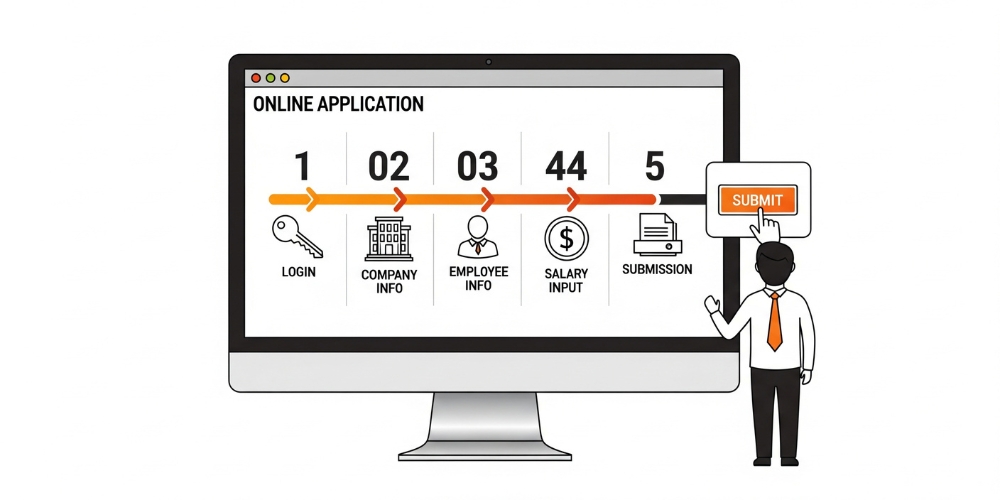
Six steps end to end.
1. Create an employer account
Go to gosi.gov.sa, create your account using your CR number and company contact details.
2. Log in as employer
Use your credentials to open the employer dashboard.
3. Add company information
CR number, commercial details, bank account for contributions, registered address.
4. Enrol employees
Add employee details — job title, salary, iqama number for expats, national ID for Saudis. Each employee receives a unique GOSI number for ongoing tracking.
5. Submit and verify
The system processes the submissions automatically. Confirmation arrives via dashboard and email.
6. Manage going forward
Monthly contributions calculate automatically via the Saudi GOSI calculation formula. Generate GOSI salary certificates for employees as needed for financial verification or benefit claims.
Required Documents
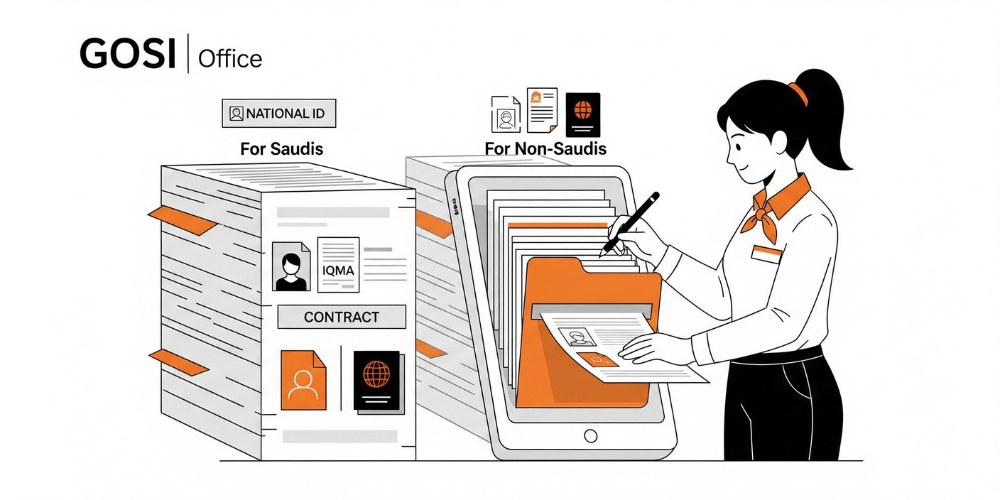
Three checklists worth running before submission.
Employer side
- Commercial Registration (CR) certificate
- Company address and contact details
- Bank account information for contributions
Saudi employees
- National ID
- Employment contract
- Salary details (basic + allowances)
- Start date
Non-Saudi employees
- Valid iqama
- Passport copy
- Employment contract
- Salary breakdown
Once approved, employees appear in your dashboard under their assigned GOSI number.
Saudi vs Non-Saudi Enrolment Differences
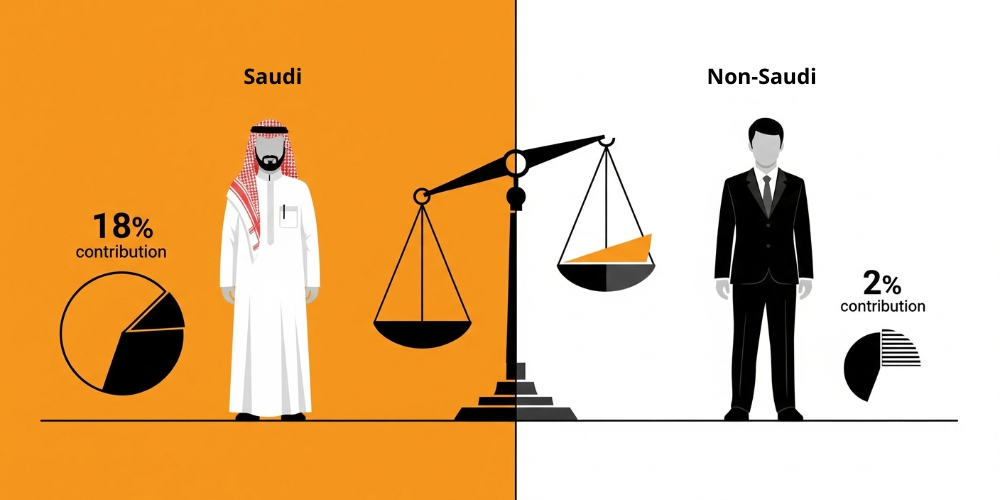
| Criteria | Saudi Employees | Non-Saudi Employees |
|---|---|---|
| Type of coverage | Pension + occupational hazards | Occupational hazards only |
| Employer monthly contribution | 9% of salary (pension) + 2% (injury) | 2% of salary |
| Employee monthly contribution | 9% of salary | 0% |
| Retirement pension eligibility | Yes | No |
| Injury claim eligibility | Yes | Yes |
| GOSI number assigned | Yes | Yes |
The GOSI calculation tool handles all of this automatically once salaries are entered. Updating salary information promptly is critical for accurate deductions.
The Bottom Line
GOSI registration is mandatory, straightforward when done correctly, and produces meaningful employee protection. The full process runs through one digital portal, takes 1–3 business days when documents are in order, and gives every employee a unique GOSI number for ongoing tracking. Get your CR documentation ready, gather employee details before starting, and use the calculation tool to keep contributions accurate. The compliance value compounds over time — and the employee benefits matter from day one.
FAQs
Is GOSI mandatory for expats?
Yes. All employees in Saudi Arabia must be enrolled. Expats receive occupational hazard coverage; Saudi nationals receive that plus pension coverage.
How long does GOSI registration take?
Typically 1–3 business days when documents are complete. Delays usually trace to iqama errors or outdated commercial registration data on the employer side.
Can employers update employee salaries in GOSI?
Yes — via the employer dashboard. Update before payroll cycle starts to ensure accurate GOSI calculation and salary certificates.
How are contributions calculated?
For Saudis: 9% employer + 9% employee for pension, plus 2% employer for occupational hazards. For non-Saudis: 2% employer only. The portal handles the math automatically.
What's the most common registration mistake?
Incomplete or mismatched iqama data for expat employees. Verify iqama details exactly match the source documents before submitting — this single check prevents most rejections.
Keep reading


